
ChatGPT Gets 'Locked Chats' to Protect Sensitive Conversations
 (Credit: Matteo Della Torre/NurPhoto via Getty Images)
OpenAI is adding a new privacy feature to ChatGPT. It lets users hide and protect private conversations if someone else uses their phone or computer or can see their screen.
“Many users use ChatGPT in crowded spaces, like a bus or a subway platform, and may not want others around them to be able to see their conversations,” the company explained. “Similarly, it's common to hand your device to friends or family when you want to show them something in a chat.”
For ChatGPT users in the UAE, Saudi Arabia, and other parts of the Middle East, this feature may be especially useful when sharing devices or traveling in crowded places. Someone who briefly looks at your screen might see information you would rather keep private. The feature is built into the ChatGPT app and website, so you do not need to download anything extra. OpenAI is releasing it gradually, so some accounts in the region may get it before others.
To help keep private conversations hidden, OpenAI has introduced “locked chats,” which work in a similar way to WhatsApp’s Chat Lock. When you lock a ChatGPT conversation, it disappears from your normal chat history, pinned chats, and chat search on the main page or in the app.
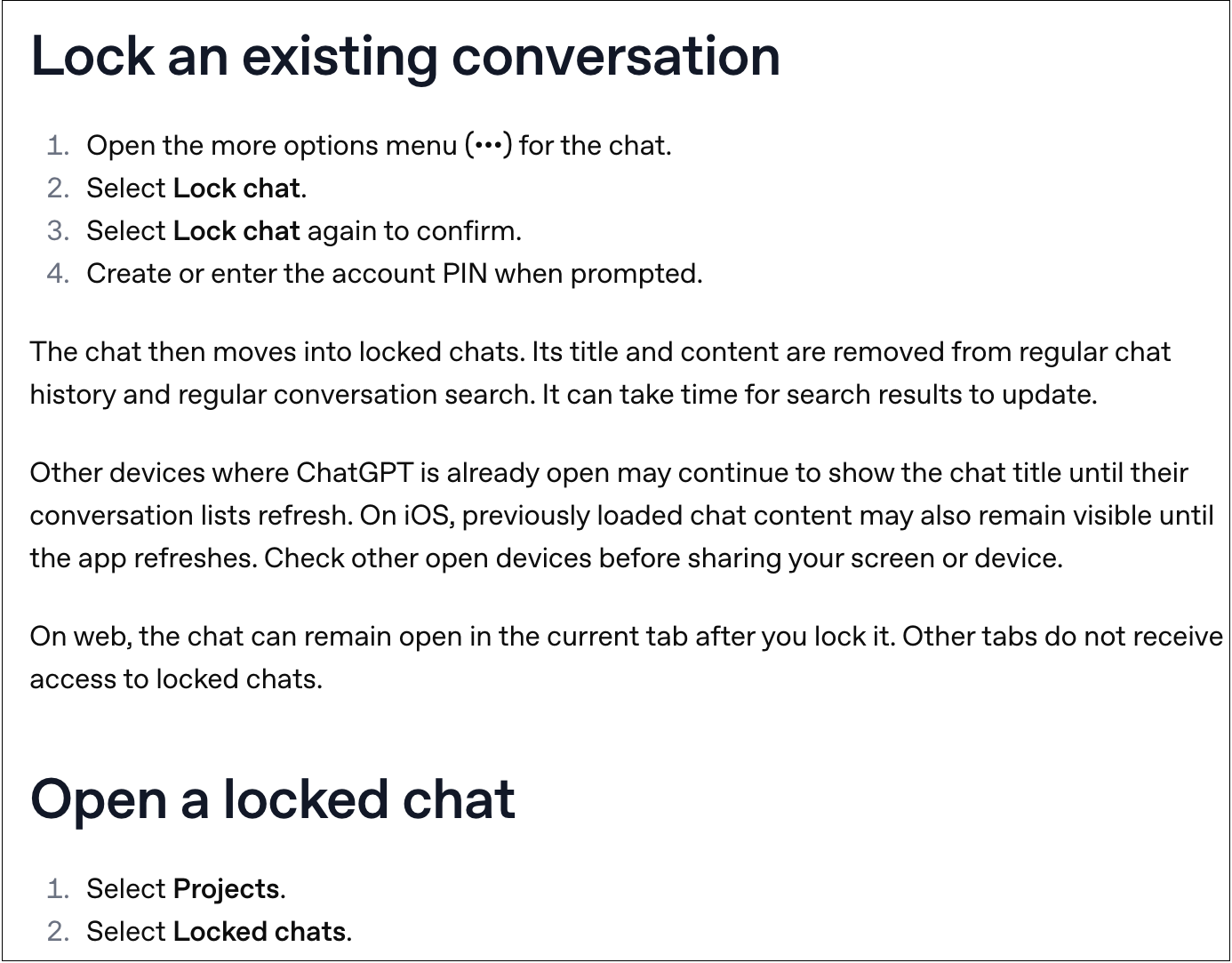
Instead, locked conversations appear under Projects > Locked chats in the ChatGPT sidebar. Their titles stay hidden. Users protect all locked conversations with a four-digit account PIN that they choose. On mobile devices, users can also protect them with facial recognition or a fingerprint scan.
 (Credit: OpenAI)
To lock or unlock a conversation, tap the three-dot menu in a ChatGPT chat. OpenAI says the feature is being released today to ChatGPT Free, Go, Plus, Pro, Business, Enterprise, and Edu accounts, although it has not appeared for everyone yet. OpenAI explains this on its support page: “Locked chats are rolling out gradually. If you don’t see Lock chat in an eligible chat’s more options menu (•••), the feature may not be available for your account yet.”
OpenAI also explains that it may still access locked conversations and may use them to train AI models if a user has turned on the “Improve the model for everyone” setting. Locked chats do not use end-to-end encryption. The support page also says this feature does not “remove information that ChatGPT remembered before you locked the chat” or “override applicable workspace policies, safety requirements, or legal and compliance obligations.”
There is another important limit. If you forget your PIN and choose to reset it, OpenAI must permanently delete all your locked chats, including any files and other content protected by this feature. However, if you know your current PIN, you can change it without losing your locked conversations.
The feature also changes how ChatGPT's memory works by keeping regular chats and locked chats separate. OpenAI explains: “With Memory enabled, your locked chats project has its own memory, shared between the chats inside it. New messages you send after locking a chat can update that memory, but do not update your regular Memory, so that new information from your locked chats doesn’t leak into regular chats.”
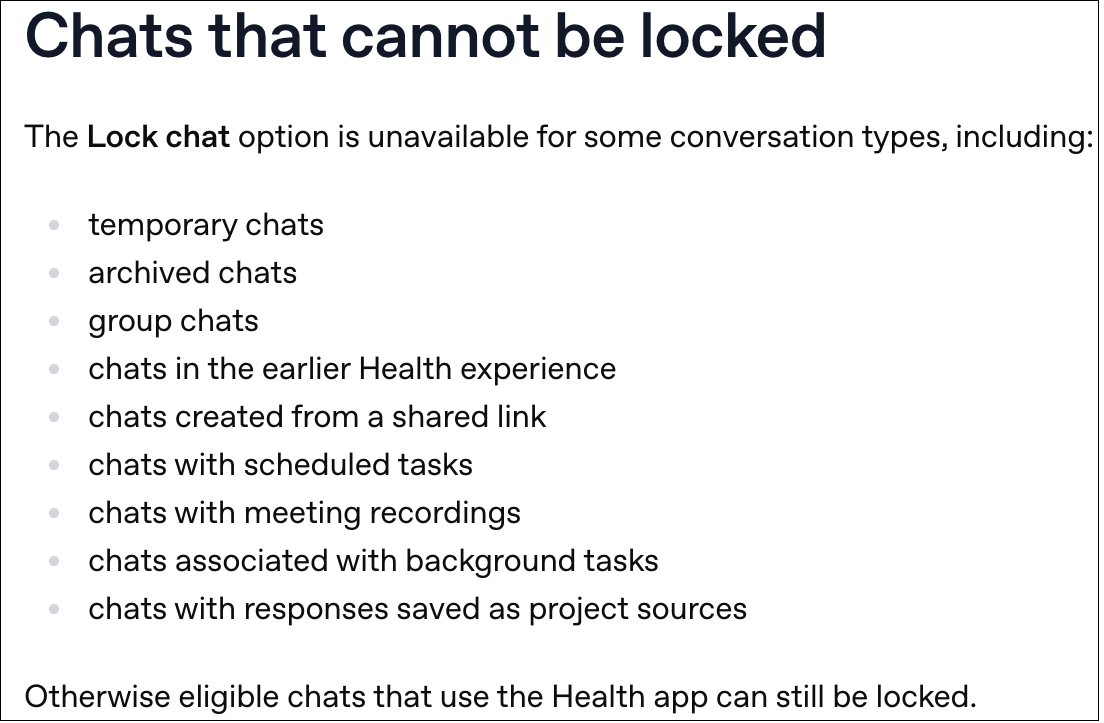
The support page lists other limits, including that temporary chats cannot be moved into locked chats.
 (Credit: OpenAI)
Availability in the UAE and Saudi Arabia
OpenAI has not announced a separate price for locked chats, and users do not need to buy them as an extra feature. The feature is included across the same ChatGPT account types. This means users in the UAE and Saudi Arabia can use it through their existing plan. We do not have a confirmed price for any ChatGPT plan in these regions, so check the price shown in your account before upgrading just to get this feature.
Since OpenAI is releasing the feature gradually, the best way to check if you have it is to open an eligible chat, tap the three-dot menu, and look for the lock option. If you cannot see it, the feature may not be available on your account yet. Remember that locked chats are meant to help protect your privacy when sharing screens or using ChatGPT in crowded places. They are not a secure vault: OpenAI can still access them, and they do not have end-to-end encryption. Think of them as a way to keep conversations out of sight, not as a fully secure place to store them.
Disclosure: Ziff Davis, the company that owns PCMag, filed a lawsuit against OpenAI in April 2025. It claims that OpenAI infringed Ziff Davis copyrights when training and operating its AI systems.