
Gemini on Android Auto Can Now Dig Through Your Gmail and Photos While You Drive, Here’s How to Turn It On
Google is making Gemini on Android Auto more personal. The assistant can now use information from your Gmail, Calendar, Google Photos, Maps, YouTube, and Search history to answer your questions while you drive. This feature is called Personal Intelligence, and it is starting to roll out on Android Auto today.
What can it do in the car?
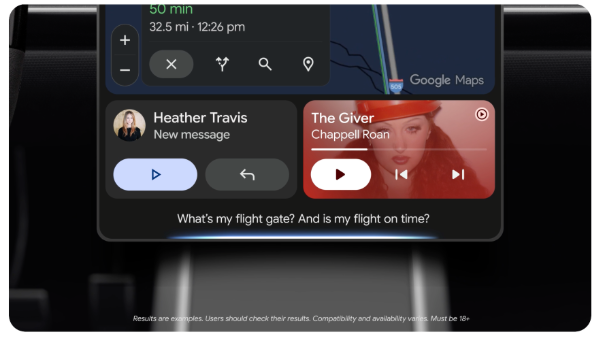
Instead of searching through emails while waiting at a red light, you can simply ask Gemini. For example, you can ask which gate your flight leaves from and whether the flight is on time. Gemini can give you both answers at once. You can also say, "take me to my doctor's appointment" without knowing the address. Gemini can find it in your calendar.
You can also use your photos. For example, you can ask Gemini to find a car wash you photographed last week and give you directions to it. You do not need to scroll through your photo gallery. Gemini can also make suggestions based on your needs. If you ask for a restaurant along your route and you are vegetarian, it will suggest a list of places that offer suitable food.
Is it available in India?
Yes. Personal Intelligence is rolling out worldwide to people aged 18 and older who use personal Google accounts. It is not available in the European Economic Area, Switzerland, the UK, or Nigeria. Google Workspace accounts used for work or college are not included.
Cars with Google built in, which run the software on the car itself instead of using a phone, will get this feature in the coming months.
How to turn it on
Personal Intelligence is turned off by default. If you have already turned it on in the Gemini app on your phone, it will work with Android Auto automatically. If you have not, open the Gemini app, go to Settings, tap Personal Intelligence, and choose which apps to connect under Connected Apps.
You can turn the feature off at any time. Android Auto will continue to work as usual without it. Navigation, music, and calls will not be affected. Gemini's answers simply will not be personalized for you.