
OpenAI Enhances ChatGPT Browser Extension with Multi-Tab Support and Smart Task Features
In terms of user experience and feature integration, the upgraded sidebar allows users to open ChatGPT directly while browsing the web, seamlessly continuing their previous conversation history.
Author and source: AIBase
OpenAI recently rolled out a major update to the ChatGPT browser extension. With this update, users can simply mention Chrome in their conversation to enable the AI assistant to directly access multiple open browser tabs as context, enabling cross-page content comparison, intelligent information organization, and assistance with various browser-based tasks.
In specific use cases, the official highlights several core practical features. The upgraded assistant can easily summarize product prices and features from different suppliers, assist in organizing various tables, automatically fill out web forms, and draft emails directly based on the information from the pages users are browsing.
In terms of user experience and feature integration, the upgraded sidebar allows users to open ChatGPT directly while browsing the web, seamlessly continuing previous conversation histories. Notably, with explicit user authorization, ChatGPT Work can further interact directly with browser tabs—for example, automatically filling out forms, sending messages, downloading files, or intelligently organizing tabs.
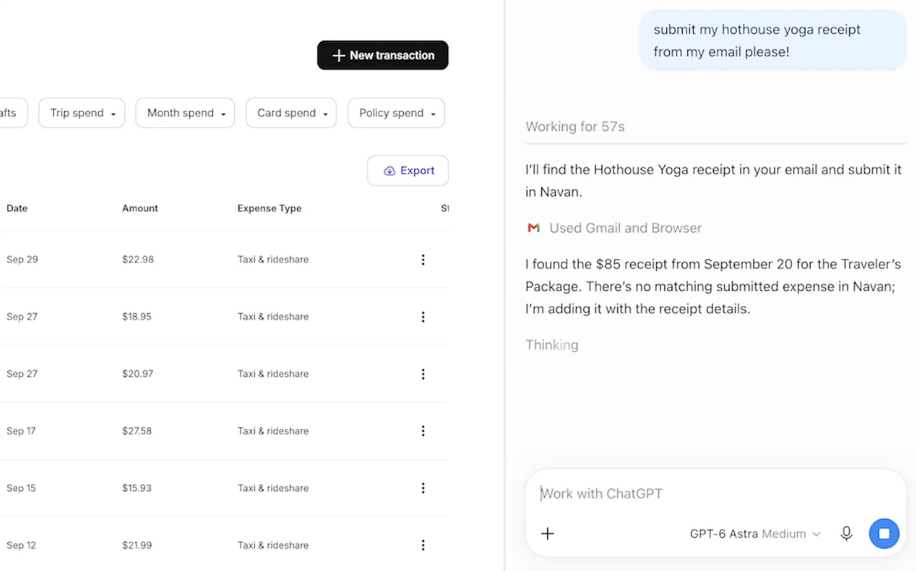
In terms of compatibility and runtime environment, this extension is not limited to Chrome browser and also fully supports Edge, Brave, Opera, and Vivaldi. Among these, Opera browser supports tab invocation and browser control features, but does not currently offer a sidebar component. Please note that the actual availability of features may be influenced by the desktop application version, account workspace settings, and the official rollout schedule.
In response to common user concerns about privacy and permissions, OpenAI has clearly stated that this extension does not mean ChatGPT can freely access all websites by default or without restriction. Although the extension requests broad browser permissions during installation, the AI assistant must first obtain user consent before interacting with any new website for the first time. Users can independently choose between “Allow Once,” “Allow This Site,” or “Allow All Sites,” and access to browsing history also requires separate authorization.
When interacting with web pages that involve login status, the assistant can intelligently leverage the user’s existing login information in the browser; however, users are still strongly advised to carefully review page content, permission requests, and critical actions such as submitting or sending information.
Additionally, with this major upgrade, the previously highly anticipated OpenAI-built browser, ChatGPT Atlas, has been officially retired. OpenAI has confirmed that Atlas is no longer being updated or maintained. However, please note that open tabs, bookmarks, and browsing history from the original Atlas will not be automatically synced or migrated to other browsers such as Chrome. While the new extension successfully integrates ChatGPT seamlessly into users’ existing mainstream browser workflows, it does not equate to a direct migration of the original browser environment.