
ChatGPT can read open Chrome tabs and use them in responses
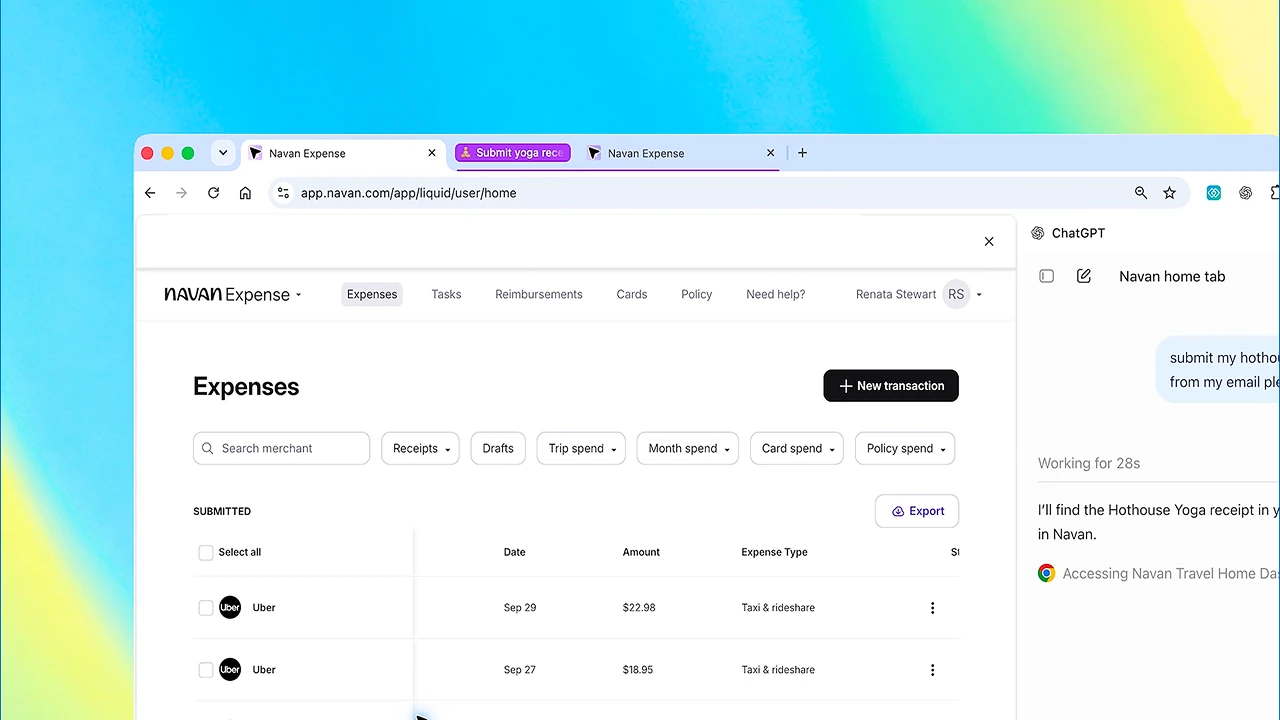
OpenAI has expanded ChatGPT's capabilities in Google Chrome. Now in the regular Chat the assistant can use open tabs as context for responses, and in Work mode — interact with websites.
The company announced this.
ChatGPT can also be opened in Chrome's sidebar. Previous conversations will be available there, and the user can work on a site in parallel and continue the chat.
What ChatGPT can now do in Chrome
In Chat mode, a user can ask ChatGPT to compare information from several open pages — for example, products, prices, or articles — without manually copying data into the chat.
The sidebar also allows opening not only a new conversation but previous chats as well.
In Work, the capabilities are broader. ChatGPT can control the browser, click buttons, enter data into forms, and act on websites on the user's behalf. The extension has permissions to manage downloads and tab groups, and OpenAI specifically warns that access to sites and browser history is governed by the user's permissions.
Previously, OpenAI developed a separate the Atlas browser, but in 2026 decided to abandon it and move the browser agent capabilities directly into ChatGPT and Codex.
What Gemini and Claude already do in Chrome
Google and Anthropic already have similar browser features for their AI assistants.
Gemini in Chrome works in the browser's sidebar, can use the context of the current page and up to ten open tabs.
Окремий режим Auto browse?Auto browse is not yet available to everyone. According to Google, the feature is gradually rolling out to adult users in the US with Google AI Pro or Ultra and English interface language. allows Gemini to move between sites, click buttons, fill out forms, and perform other multi-step actions in the browser: navigate between sites, click buttons, fill out forms, search for products, and book accommodation or restaurant tables. Before starting, Gemini shows a plan of actions, and for sensitive steps it may ask the user to intervene or confirm the action.
Claude in Chrome also can read pages, work with multiple tabs, navigate between sites, click buttons, enter text, fill forms, and upload files.
Claude can work with multiple tabs at once: the user adds them to a separate group, after which the assistant can see and use all the pages in it. The extension also supports file uploads and scheduled tasks.
So at a basic level, all three services are already moving in the same direction: analyzing multiple pages at once and performing actions in the browser on behalf of the user. The difference is more about how it's organized: Gemini integrates into Chrome and has a separate Auto browse, Claude works via an extension, and ChatGPT separates scenarios between Chat for working with context and Work for active browser actions.
Recall that OpenAI started globally rolling out GPT-6 with a new Intelligent UI interface. Instead of a uniform text interface for all queries, the model can decide on its own when it's better to show regular text and when — an interactive chart, map, form, calculator, or other tool.