
ChatGPT can now act inside your browser tabs — check the permissions before you switch it on
Consumer AI and Privacy
OpenAI’s Chrome extension can work with tabs where you are signed in, fill out forms, handle files and organize your browsing. The main safety choice is whether to let it perform one action, use one website or access every website. You should also understand what page content and browsing history can become part of the information ChatGPT uses.
ChatGPT can now do things in your browser, not just read pages
OpenAI has expanded its connection to Chrome so ChatGPT can do more than summarize an open webpage. Its current extension guide says the assistant can read or take actions on websites where a person is already signed in. These include email, professional networks, business software and internal work tools. The Chrome Web Store listing says it can research information across signed-in websites, enter data, handle files and organize browser tabs.
On October 16, 9to5Google reported that the new features were rolling out. Examples included comparing products, filling out a registration form but stopping before submitting it, sending messages, downloading files and grouping tabs. These examples show what the product is designed to do, but they do not prove how well it works. Neither of the available sources reports success rates, error rates or test results showing that this extension works better than other browser assistants.
Access to these features may vary depending on the rollout and the rules set by a person's workplace. This means eligible users have a new way to take actions in their browsers. It does not mean every account has the same controls or that every task will be completed correctly.
The extension can request broad access to Chrome features
The current Chrome Web Store listing identifies the extension as version 1.26.1005.11759, updated on October 15. OpenAI's documentation says Chrome may ask for permission to use the page debugger, read and change information on websites, access browsing history and bookmarks, manage downloads, communicate with an app on the computer and organize tab groups.
The Chrome Web Store privacy notice lists types of information the extension may handle. These include information that identifies a person, health and financial data, login information, private messages, location, browsing history, user activity and website content. This list describes the kinds of data the product may be able to handle. It does not mean that every task reads every type of information.
This difference is important. A browser extension can have broad technical permissions, while the product itself asks for more limited permission before each action. Users should check both: what Chrome allows the extension to do and what ChatGPT asks to do for the task at hand.
OpenAI offers choices for one action, one website or all websites
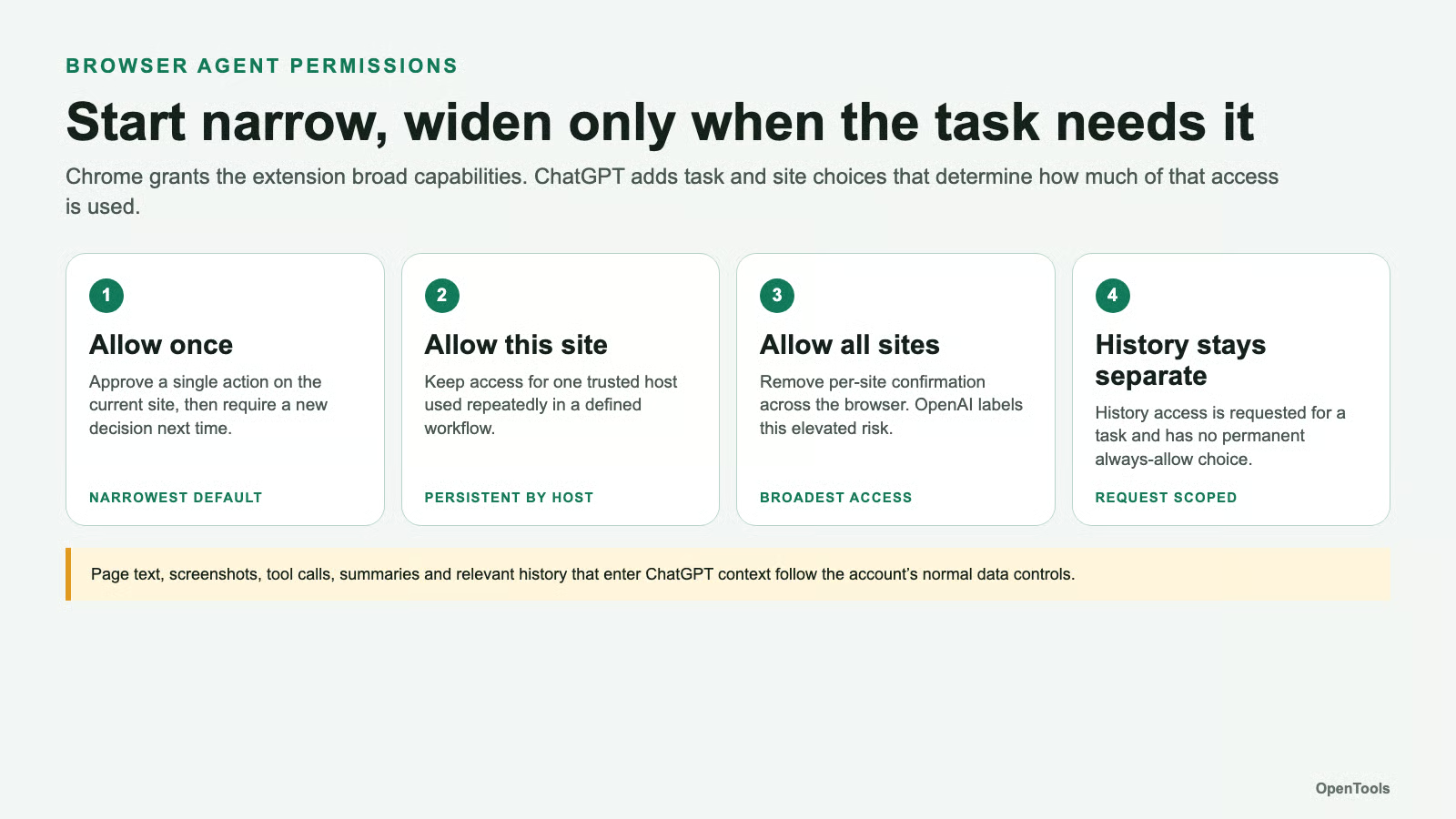
By default, OpenAI says ChatGPT asks for permission before working with each new website. Users can allow one action, allow access to that website, allow access to all websites or refuse. The first two choices limit access to the task or website. Allowing access to all websites removes the need to confirm access to each new site. OpenAI specifically warns that this option carries greater risk.
Access to browsing history follows a separate rule. OpenAI says the extension asks for permission when it needs history, limits that access to the request and does not provide a permanent option to always allow it. Workplace administrators can also control access through workspace settings and lists of allowed or blocked websites.
These controls limit how the assistant can use the browser after installation, but they do not remove the extension's underlying technical permissions. A sensible default for personal or work accounts is to allow access for one task first, give ongoing access only to websites you use regularly, and allow all websites only when you understand the risks and have a clear reason to do so.
Webpages can influence the assistant, and some browser information can be saved
OpenAI warns users to treat webpage content, selected text and video transcripts as untrusted information. This matters because a webpage may contain instructions meant to control an automated assistant rather than help the person reading it. Before allowing ChatGPT to continue, users should check the website and the action it proposes, especially when the task involves messages, account settings, downloads or forms.
OpenAI also explains that the rules for saving information are more detailed than simply saying that all browsing activity is recorded or that none of it is recorded. The company says it does not keep a separate, complete record of everything the extension does. However, page text, screenshots, tool actions, summaries, messages or relevant browsing history that become part of ChatGPT's working context are stored under the account's usual ChatGPT data controls.
The available sources do not report a security breach caused by this extension, and the list of data types in the Chrome Web Store does not prove that any harm has occurred. However, they show why browser automation should be treated as access to an account where you are already signed in, rather than as a simple search box.
Choose the smallest amount of access needed to finish the task
Before turning on browser actions, decide which website the assistant needs and what you want it to do. Start by allowing access for one task. Keep final steps, such as submitting a form or making a payment, for a person to review. Check the proposed changes before they are sent. If the task requires more than one website, allow access to each additional site only when needed instead of automatically allowing access to every site.
For workplace use, administrators should combine website access controls with normal account safety measures. These include giving users only the access they need, using separate test records when possible, and checking files before downloading or uploading them. Users should also review and remove ongoing website permissions when a project ends.
The upgrade may save time by reducing the need to copy information between tabs. But its value depends on whether it performs tasks correctly and whether its permissions match the work being done. OpenAI has not published results showing how often tasks succeed or fail, or how well the extension resists malicious instructions hidden in webpages. These results are still unknown and should not be assumed.
Figure by OpenTools Team. No expressive material from third parties was used. Official OpenAI product images were reviewed but not reused because the available documentation did not establish permission to reuse them. The figure is an original summary of the documented permission choices and data access limits.
Sources
- 1.learn.chatgpt.com (learn.chatgpt.com)
- 2.chromewebstore.google.com (chromewebstore.google.com)
- 3.9to5google.com (9to5google.com)