
OpenAI dots vs Meta Muse: whose computer, whose keys, whose approval
Author
Rowan SterlingDate Published
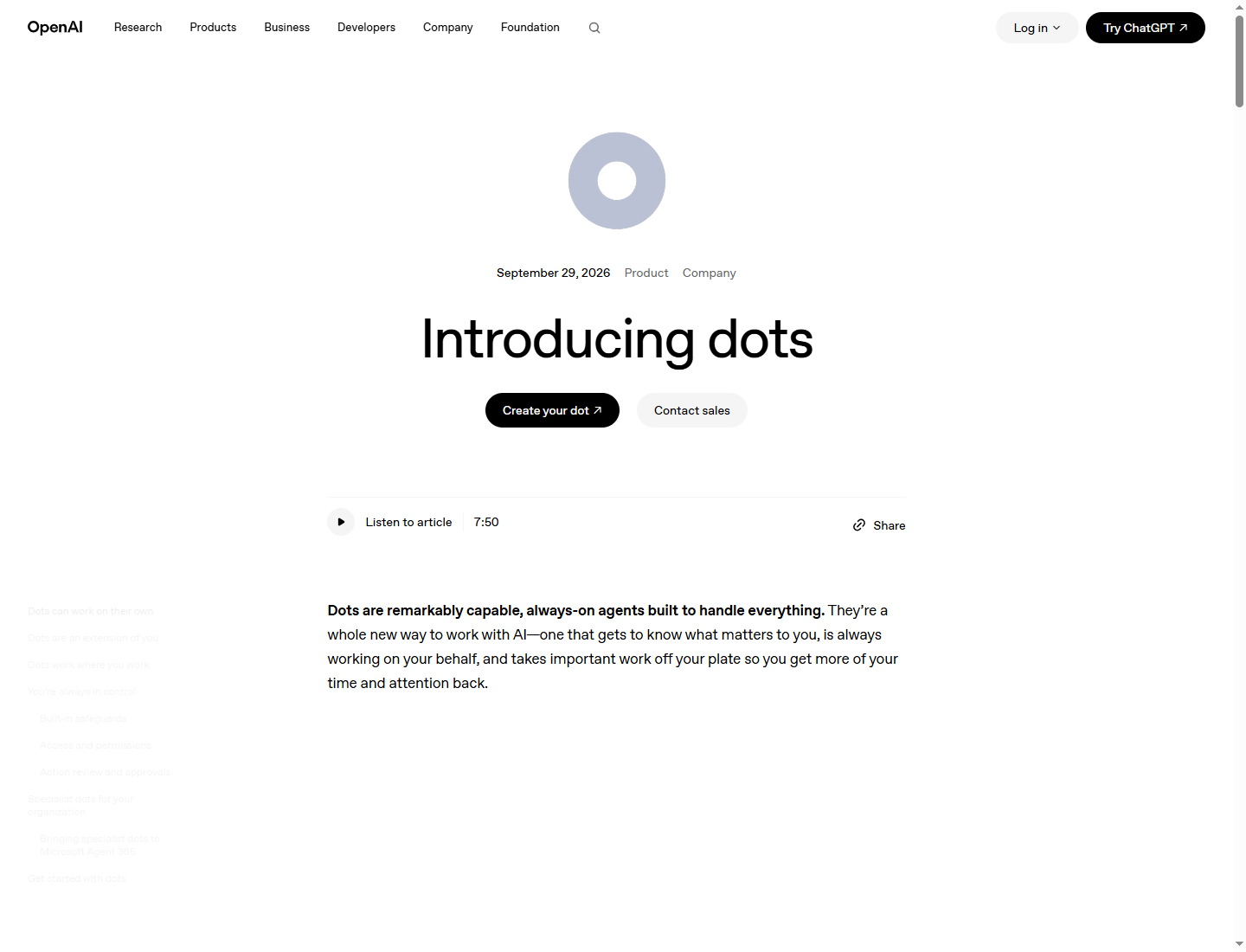
OpenAI's dots page, published on 29 September 2026, calls dots "always-on agents" and says they are powered by GPT-6 Astra. Meta's Muse page, reviewed on 24 October 2026, describes Muse as a personal agent that "gets to know you and your goals, working across all aspects of life". In simple terms, both products promise the same thing: an assistant that keeps working after you close your laptop, remembers what you told it, and takes action for you in the apps you already use. The main difference is not what they promise to do, but how they work behind the scenes. That includes whose computer the agent uses, where you can reach it, who can access your passwords and payment card, what must happen before it takes action, what each company says about your data, and what either company is willing to measure. For several of these questions, the honest answer is that the company has not published the information. This comparison points out those missing details instead of guessing.
One model is named, while the other page does not name one
OpenAI tells readers which model does the thinking. Its page, published on 29 September 2026, says dots are "powered by GPT-6 Astra". Meta's Muse page, reviewed on 24 October 2026, explains what Muse does and what it runs on, but does not name the model behind it. This is a real difference, not just a difference in wording. Buyers can look up a named model, compare its price, and compare it with other models. The other details on both pages describe how the agents behave, but only one company names the model behind its product.
The two companies also present their products differently. OpenAI says dots are being introduced "across Pro, Business Premium, and Enterprise plans in eligible markets". It also shows a preview of specialized dots with their own identities. These include tools for managing access, computer hardware set up by a company's IT team, and deep connections to a company's main business systems. One example is an integration with Microsoft Agent 365. Meta's page focuses on individual Muses. Stories about creators introduce four of them by name: Pumpkin, Lux, AunTEY and Mango. Meta also describes Muse for Small Business as "a collection of new skills and connectors". Neither company publishes a price for its agent. That means readers cannot currently compare their costs.
What runs the agent
This is the clearest difference the two companies have published. It concerns who controls the computer the agent uses, rather than what the agent can do.
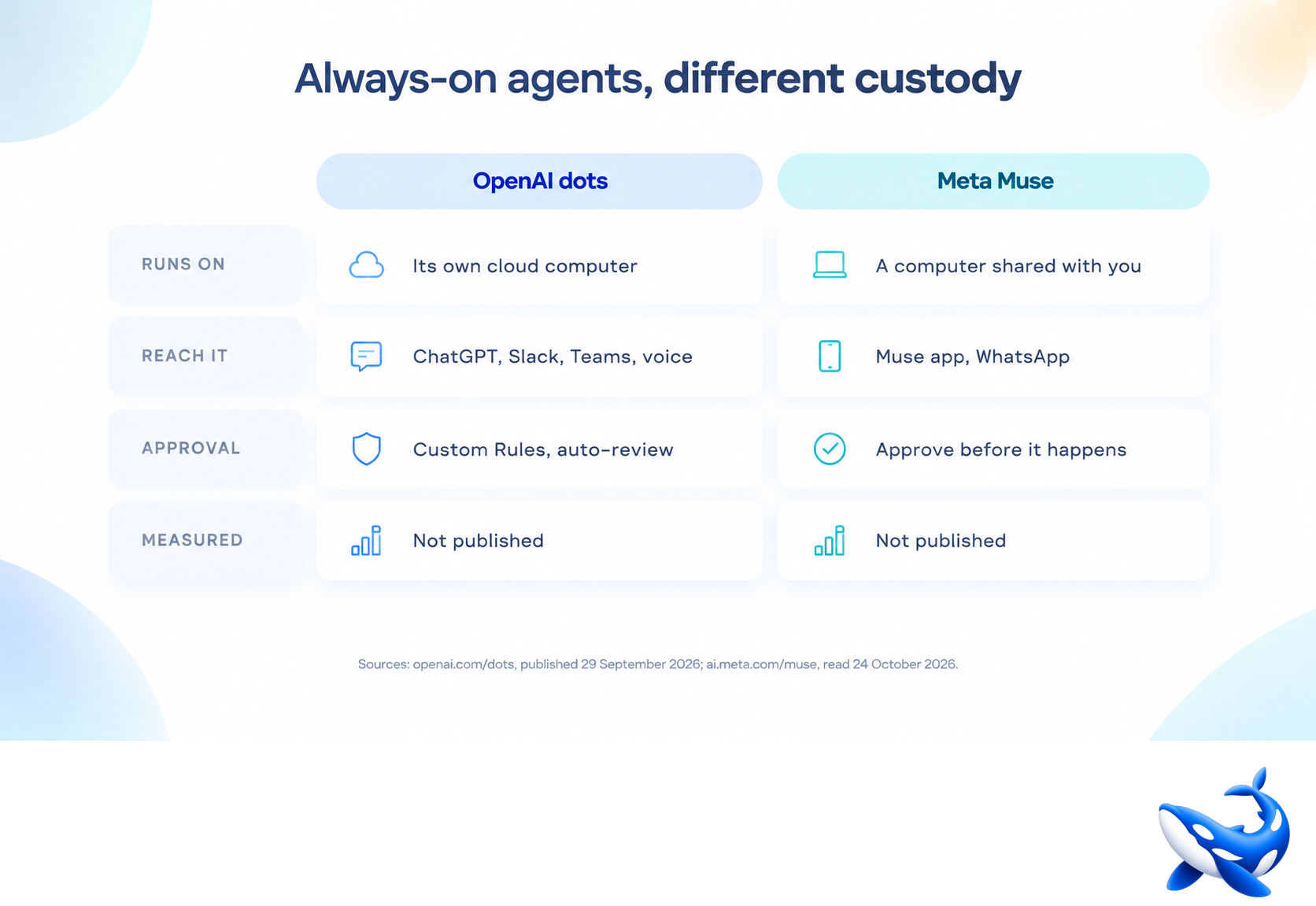
OpenAI dots. OpenAI says each dot works on its own cloud computer. Your computer and its files stay separate unless you choose to connect them. This statement makes three points: the agent works somewhere other than your laptop, your computer stays separate by default, and connecting the two is your choice. It also explains how a dot can work toward your goals 24 hours a day, seven days a week, without needing your computer to stay on.
Meta Muse. Muse comes with "a secure computer with a browser shared by you and your agent". The words "shared by you and your agent" are important. Meta does not describe a separate computer that belongs only to the agent. Instead, it describes a computer and browser that you and the agent share.
What the pages do not explain. Meta does not say where this shared computer is located. It could be on your Mac, on Meta's servers, or somewhere else. Meta also does not explain what happens to the computer's contents when the agent is not working. OpenAI does not publish the technical details of the cloud computer assigned to each dot or say how much computing power each dot gets. Neither company has published these details, and they matter. They help determine how much work an agent can do on its own before it needs you to take over.
How passwords and other login details are handled
The two companies describe different ways of protecting your login details. The most useful difference is which part of the system is kept from reading your password.
OpenAI dots. When signing in to supported websites, dots "can use saved passwords without exposing them to the model". This protects the password from the model that does the thinking. The dot can sign in, but the language model that controls it does not see the password. OpenAI does not explain what happens if a website has no saved password, whether a dot can create and save a new login, or how saved passwords are stored and checked on the dot's own computer. These details have not been published. The dots page also does not explain how a dot may use your payment card.
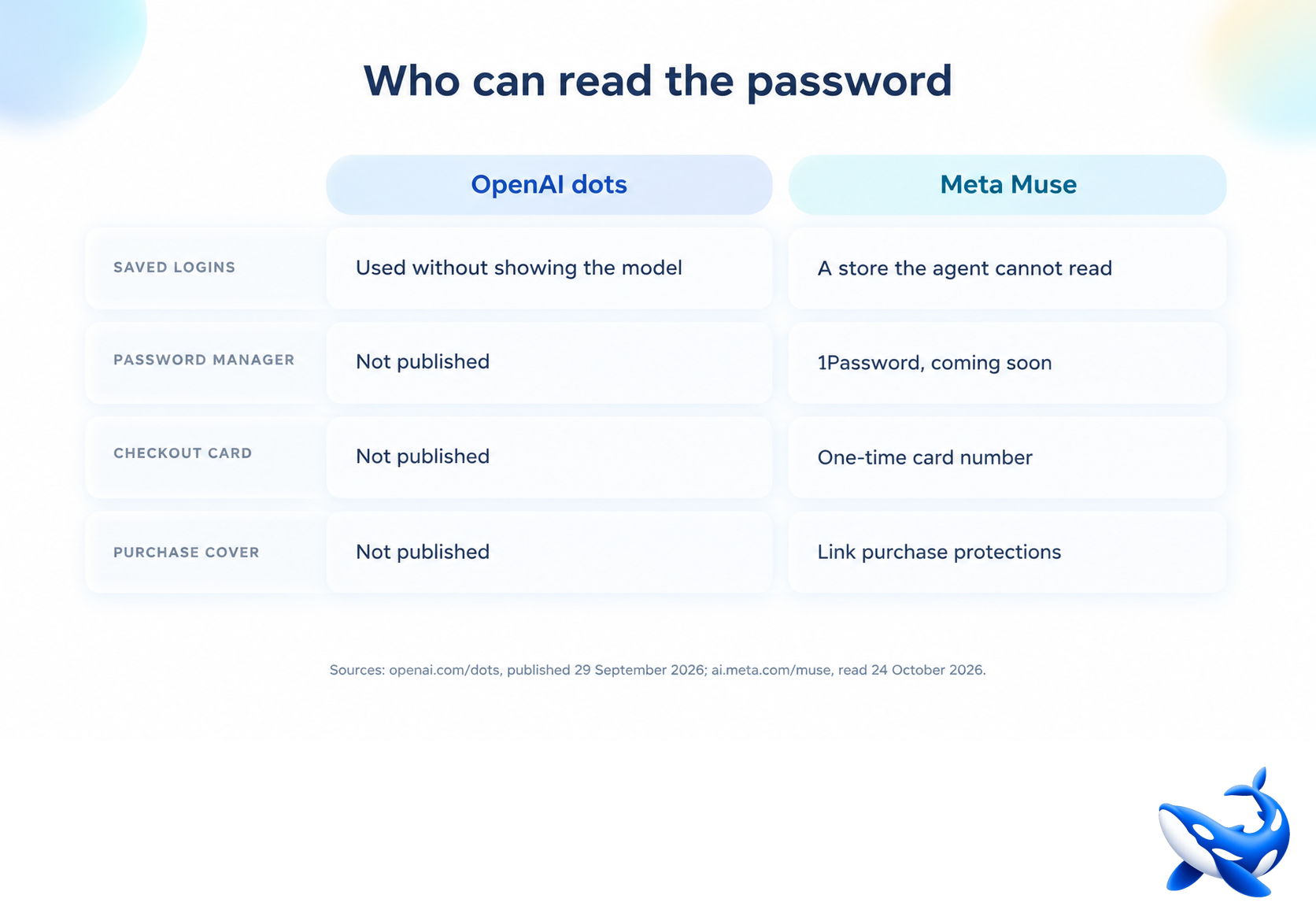
Meta Muse. Meta says login details are stored in "a secure credential store your agent can't read". It also says 1Password integration is "coming soon". This protects the information from the agent itself. That is different from OpenAI's statement, which says the model cannot see the password. Meta's wording covers what the agent can read, not just what the model can see. Meta also provides a way to handle payments. At checkout, the system creates a one-time card number "so your real card is never seen by the merchant or your agent". Eligible purchases are covered by Link's purchase protections.
What neither page explains. Neither company says what happens if a login is cancelled while the agent is in the middle of a task. Neither explains whether you can tell the agent to forget login details it has already used. These questions remain unanswered. They are worth asking before you give an agent access to an account, not after.
Where you can access the agent
OpenAI dots. You can reach a dot through ChatGPT, Slack or Teams. OpenAI also invites users to "hop on a voice call" when they want to talk through a problem. This design focuses on work. The agent appears in tools that a team may already be using, rather than requiring everyone to open another app.
Meta Muse. You can use Muse through the Muse app on mobile devices and Mac, or directly inside WhatsApp. The page invites users to download the Mac app. This design focuses on personal conversations. You can talk to the agent in a chat, much like the conversations you already have with other people.
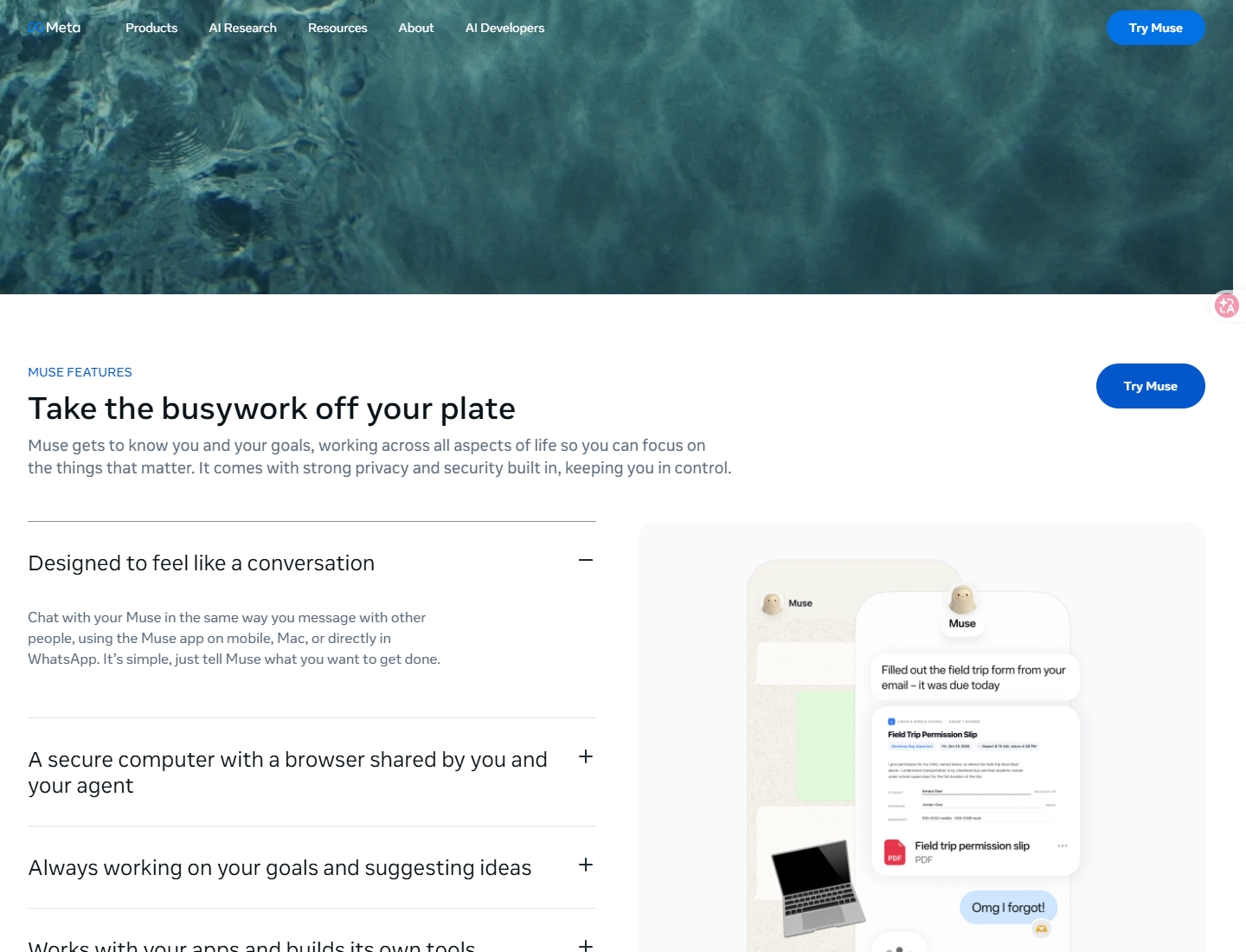
The missing details are different for each company. OpenAI does not say whether dots has its own standalone app. Meta does not say whether Muse can be accessed through Slack or Teams. Neither has published this information. Each company lists some of the places where its agent works, but that does not mean the list is complete. It is safer to treat both lists as partial.
How approval works
OpenAI dots. OpenAI says dots "start with built-in rules for when to act independently and when to ask for approval". With Custom Rules, you can allow an action, make the dot ask you first, or block the action entirely. Before a dot takes an action that could affect your accounts or share information, an automatic review checks the action against your instructions, your Custom Rules, and the company's safety requirements. It then decides which actions can go ahead, which need your approval, and which you must do yourself. Some sensitive tasks, such as changing a password, must always be handled by you. An Activity View shows progress, including work happening in the background. You can monitor the dot and pause or stop its work. OpenAI also clearly warns about the limits: "Dots can still make mistakes, so always review consequential work."
Meta Muse. Meta says you can "Review and approve actions from Muse before they happen, like sending emails and making purchases. See a complete audit trail" of what the agent has done and what it plans to do. This describes a person checking an action before it happens, with a record of the activity kept afterward.
Who makes the decision? OpenAI describes a system of rules and an automatic reviewer. A person must step in for certain sensitive tasks, including the example of changing a password. Meta describes a process where the person reviews actions and can later check a record of what happened. Neither company publishes a complete list of actions that always require human approval. OpenAI gives changing a password as an example, while Meta mentions emails and purchases. Neither page provides the full list of actions that always need approval or will be refused. This is exactly the kind of information you would want before deciding how much freedom to give an agent.
What each company says about using your data to train models
OpenAI dots. OpenAI makes two written promises on its dots page. First, content from ChatGPT Business, Enterprise and Edu workspaces is not used "to improve our models by default". Second, OpenAI says it does not train "directly on proactive research or your dot's notes to itself". The second promise specifically covers two kinds of material created by the agent. This is a more precise promise than saying that the company never trains on your data. It explains which types of material are excluded.
Meta Muse. Meta's data statement focuses on advertising: "your conversations are not shared with Meta's ad systems." This means the conversations are kept out of the systems Meta uses for advertising. It does not answer whether the conversations are used to train models. The Muse page reviewed on 24 October 2026 does not publish an answer to that question.
When you compare the statements, they cover different topics. OpenAI discusses model training and names the workspace data and agent-created material that it excludes. Meta discusses advertising and says conversations are kept out of its ad system. Neither statement answers the question covered by the other. So someone who wants to know how their data is used for training gets an answer from OpenAI's page but no answer from Meta's page. Missing information is not the same as a denial, and readers should not treat it as one.
What is measured
Neither company publishes an independent benchmark showing how well its agent performs. Neither publishes a price, either. These are two of the first things a buyer would want to compare, but both are missing.
Instead, each company describes tools for tracking what its agent does. OpenAI's Activity View shows progress, including work happening in the background. Its automatic review also decides which actions can go ahead. Together, these tools let you follow what a dot is doing. Meta says it provides a "complete audit trail" showing what the agent has done and what it plans to do. Both products provide records of activity, but neither company publishes a measure of how often its agent completes a task correctly.
Other important details are missing, too. OpenAI does not publish how much computing power or usage each dot gets, or a dated list of the markets where dots are available today. Meta does not name the model behind Muse or publish a list of supported countries. For OpenAI, the subscription plan is the only clue about cost, but it does not tell you the price of dots themselves. Meta provides no pricing information. As a result, the published information is not enough to compare the two products' abilities or costs. It does let you compare their designs: where their computers run, who can read login details, what checks happen before actions, and what each company promises in writing about model training.
What the missing information means when choosing between them
The two products provide different details. OpenAI publishes the model name, information about the computer, the rules for taking action, and the data it excludes from training. It does not publish the price or a list of available markets. Meta explains how login details are protected, how payments work at checkout, and how users can review an audit trail. It does not publish the model name or price. If you need to know which model does the thinking, only OpenAI's page answers that question. If you need to know what happens to your real card number at checkout, only Meta's page answers it. Neither company answers the question that often decides a purchase: how much does it cost?
The companies also focus on different kinds of risk. OpenAI's dots page focuses on what an agent might do. It describes background research, rules for when the agent can act on its own, automatic reviews, and tools for monitoring and stopping work. Meta's Muse page focuses on what an agent might be able to see. It describes a login store the agent cannot read, a card number hidden from both the merchant and the agent, and conversations kept out of Meta's advertising system. These are two different ways of thinking about security, and they shape the two products differently.
• Ask where the agent's computer is physically located before connecting anything to it.
• Ask whether the agent can read the stored login details, not just whether the model can see them.
• Ask for the full list of actions that always need your approval, rather than relying only on examples from the product page.
If a company does not answer a question, record the information as not published and include that uncertainty in your decision. A company that has not published a limit has not promised that limit. An agent is only as safe as the smallest action it can take without asking you first.
If you need access to the model layer rather than either complete agent product, OrcaRouter offers more than 200 models through one OpenAI-compatible endpoint and one API key. It also offers automatic failover and 0% markup, meaning you pay the provider's listed price. Claude Opus 5.5 costs $4.00 per million input tokens and $20.00 per million output tokens. It has a context window of 1 million tokens, and reading cached tokens costs $0.20 per million. OrcaRouter hosts models, not apps, so neither dots nor Muse is available through the service.