
Non-Human Identity Risks of AI Agents and How to Reduce Them
Dwayne McDaniel
TL;DR
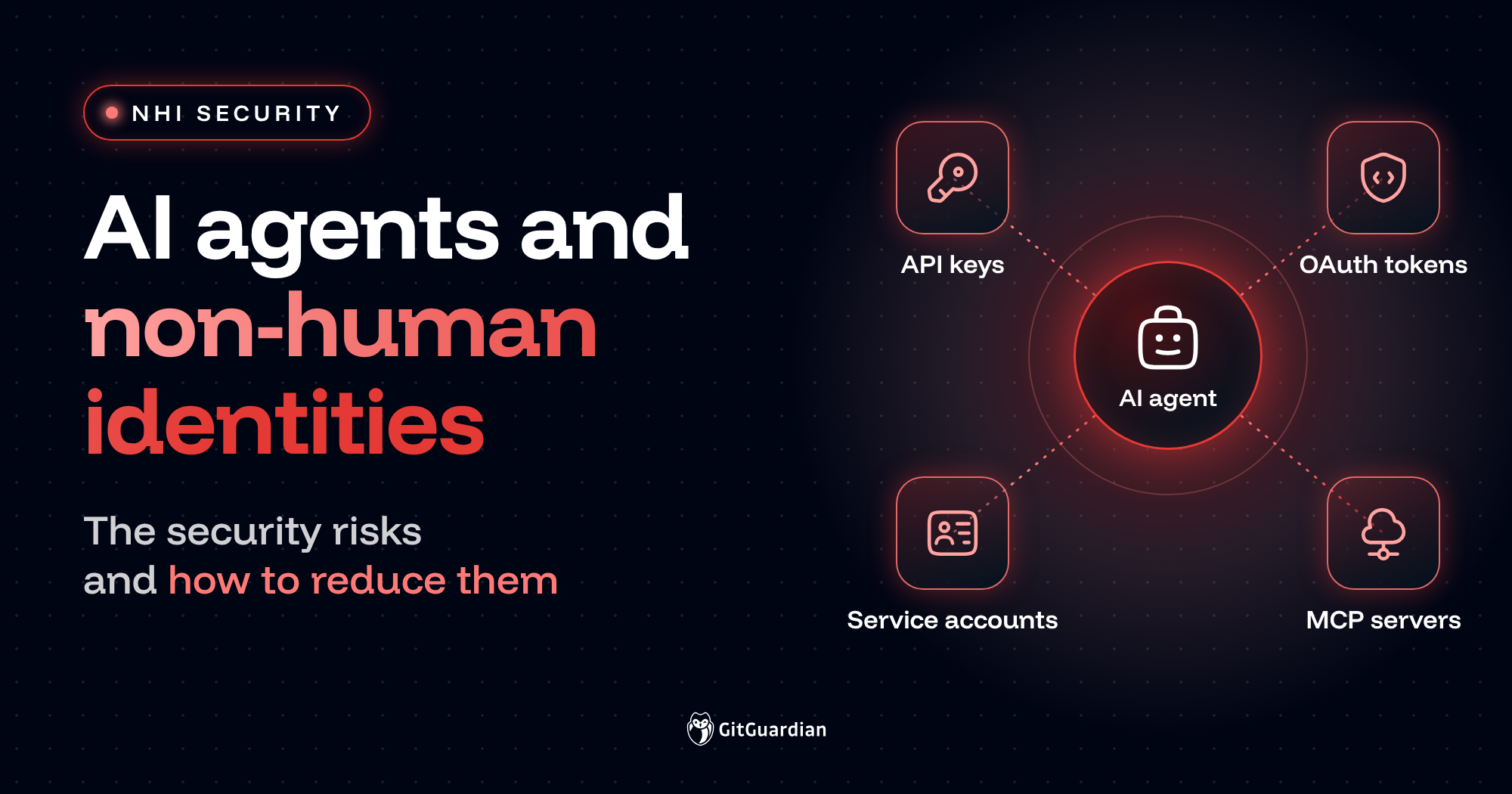
- AI agents are non-human identities: They choose which computer systems to use and connect to them using API keys, OAuth tokens, and service accounts.
- The biggest danger comes from their login details: Agents often have more access than they need. Their secret keys can appear in AI prompts, logs, support tickets, code, and MCP settings files. Many keys keep working even after the person who created them leaves.
- Attackers can log in instead of breaking in: If someone steals an agent's login key, they can act as that agent and access everything it can access.
- Start by making a complete list: Find every agent and its login details, whether they are stored in a secure vault or somewhere else. Give each agent a clearly named owner.
- Limit and protect access: Give agents only the permissions they need, use keys that expire quickly when possible, keep secrets out of prompts and shared tools, watch what agents do, and prepare a way to cancel their access.
AI agents are non-human identities (NHIs). They are computer programs that can make decisions and take actions on their own. They choose which systems to connect to and use API keys, OAuth tokens, and service accounts to prove they are allowed in. The login details they use to reach your important systems are also one of the easiest ways for attackers to reach your data.
This guide is for security teams, application security teams, and platform teams that are starting to use AI agents. It explains why agents should be managed like other non-human identities, seven security risks they bring, and six ways to reduce those risks. A short FAQ at the end answers common questions.
It is no surprise that people are paying more attention to non-human identities as AI tools and agents become common in businesses. Using more AI is one reason the number of non-human identities is growing so quickly. It has also started many discussions about how to manage and protect machine identities.
Non-human identities include AI agents, bots, scripts, and cloud programs. They use secret login details that people give them, sometimes using a developer's own credentials. These details allow access to private systems and information. They come in many forms, and companies must track them from the time they are created until they are no longer needed. Unlike people, machines cannot use multifactor authentication or passkeys in the usual human way. Developers can also create hundreds of these credentials while building and launching applications.
Attackers have noticed this problem. According to the CrowdStrike 2026 Global Threat Report, attackers used real login credentials and trusted login processes instead of harmful code. If an agent's key is exposed, an attacker does not have to force their way in. They can simply log in as the agent and use everything the agent is allowed to reach.
What is a non-human identity? AI agents and other machine identities
A non-human identity is a digital identity used by software, computer workloads, or devices to prove who they are and access resources. These identities often appear as service accounts or Kubernetes workers. They use API keys, OAuth tokens, CI/CD tokens, and login details saved in settings files.
Each identity allows a computer process to use systems without a person being there. This automatic access is exactly what attackers want to take advantage of.
Palo Alto Networks estimates that there are now 109 non-human identities for every human employee. AI agents are the newest type of NHI and one of the hardest to manage. They use large language models (LLMs) to decide for themselves how to finish a given task.
These agents are different from the traditional bots businesses have used for years. Older bots can only follow the exact steps a developer gives them. AI agents can search company information, look things up on the internet, and work with other applications for a user.
Bots and scripts follow instructions. AI agents choose their own steps to reach a goal. As companies add agents to more tasks, the number of agents can also become greater than the number of human users. This freedom to make decisions changes identity security in three important ways:
- Many login credentials for each agent: An agent may connect to AI models, tools, APIs, and Model Context Protocol (MCP) servers. Each connection needs its own login credential.
- Permissions borrowed from users: Agents often work for a person, so they may receive that person's access rights as well as their own.
- No automatic end date: Companies normally track when employees join, change jobs, and leave. An agent has no employee record, manager, or leaving date unless someone sets these up.
This creates a growing number of digital identities that older identity management systems were not built to track. The comparison below shows the most important differences.
Security risks AI agents create for non-human identities
Most AI agent security problems involve their login credentials. The important questions are how much those credentials can access, where they are stored or shared, and whether anyone is still responsible for them. These are common security problems with non-human identities. Unlike ordinary mistakes in computer code, these problems are hidden in the way access is given. Tools that only check code cannot find all of them.
Too many permissions that stay active
AI agents are often given more permission to read, change, create, and delete information than traditional bots. With older automated programs, developers can decide exactly which systems they need before the programs start working. AI agents are different because they choose how to finish a task without someone guiding every step. If their access is too limited, they may not be able to finish the job. Teams may not know all the permissions an agent will need, so they often give it too much access just in case.
This creates what security teams call standing privilege. It means an agent keeps powerful permissions all day and night, even when it is not using them. Too much access can turn one small credential leak into a serious security incident. Anyone who steals the key gets all those extra permissions. Losing just one of an agent's many keys could lead to stolen data, purchases nobody approved, or other problems.
Secret credentials spread across the agent's systems
Imagine an AI purchasing agent that studies what a company needs to buy and compares sellers on shopping websites. It might talk to AI chatbots to negotiate prices and even place orders by itself if the company allows it. Every secure connection needs login credentials. Developers also build and release this agent through a DevOps process, which needs even more logins. As a result, credentials can end up in many systems, activity logs, and code repositories.
The numbers show how quickly this problem is growing. GitGuardian's State of Secrets Sprawl 2026 report found 28.65 million new secrets written directly into code on public GitHub in 2025. That was 34% more than the year before. Secrets for AI services reached 1.27 million, an increase of 81%. Public code shows only part of the problem. Private company repositories are about six times more likely than public ones to contain secrets written directly into code.
28.65M
New secrets written directly into code on public GitHub in 2025, 34% more than the year before.
1.27M
AI-service secrets exposed in 2025, 81% more than the year before.
24,008
Different secrets found in public MCP settings files, including 2,117 that still worked.
~2×
Code changes made with Claude Code exposed secrets at about twice the usual rate: 3.2% compared with 1.5%.
Source: GitGuardian, State of Secrets Sprawl 2026
API keys left behind without an owner
An orphaned API key is a key that is no longer connected to a user account. This can happen when an employee leaves a company or deletes their account. Keys they created may continue to work even though nobody is responsible for them. Unless someone finds and tracks them, they may never be changed or deleted.
With machine identities, deciding who is responsible can be difficult. Is it the person who created the identity or a DevOps team? Without a clear owner, credentials can easily be forgotten while still giving access to company systems.
AI agents make this old problem happen faster and on a larger scale. A developer can connect an agent to a new software service in minutes. The key used for that connection may keep working long after the project ends or the developer leaves.
Company rules are not keeping up. A Cloud Security Alliance survey from January 2026 found that 78% of organizations did not have written rules for creating or removing AI identities. Old credentials can remain dangerous for years. GitGuardian found that 64% of credentials that worked in 2022 were still working in January 2026.
Instead of only asking who owns a key, companies should ask who is responsible for the security risk if that key helps cause a breach.
Secrets in AI prompts, logs, and saved information
When people think about AI assistants, they often think of ChatGPT, Gemini, and Claude. These tools work through prompts, which are instructions or questions people type. GitHub Copilot works this way too. AI models process, store, and send sensitive information through prompts. They send background information, commands, and data to an LLM provider. This makes the tools very easy to use and helps people build and test new tools quickly.
This risk is not limited to software development teams. More companies are giving AI coding assistants to citizen developers, meaning employees who build tools without being professional programmers. This increases the chance that private data, company information, and login credentials will be exposed throughout the business. People who have never received developer security training may paste secret tokens into AI tools their company has not approved. Those tools may save their conversations.
For example, imagine someone on a finance team uses an AI chatbot to handle invoices. They enter a prompt asking it to find all invoices above $100,000 from the past 6 months using API key ABC123. That key will probably be saved in a log. If the log stores the key as readable text, an attacker who finds it could enter the invoice system without permission. Ideally, the key would at least have limited permissions.
Companies should use protections that stop developers and other employees from putting sensitive information into prompts and logs. Ideally, they should also check every answer from an LLM for information that should not be shared. It can be difficult to decide which information is sensitive, but finding and removing secret credentials should be simpler and should be a priority.
Information agents read from messages, tickets, and cloud services
AI agents often read, work with, and save information from many places, including:
- Cloud storage services such as AWS S3 and Google Drive.
- Business applications such as Jira, Confluence, and Salesforce.
- Messaging services such as Slack and Microsoft Teams.
Companies need to keep login credentials, information that identifies people, and other private data out of places where they should not be stored. If an AI agent can read this information, an attacker may also be able to use the agent's identity to reach it.
Simon Willison calls a particularly dangerous combination the lethal trifecta. It happens when an agent can read private information, receive content that cannot be trusted, and send information outside the company. An attacker could place carefully written instructions in a support ticket or chat message. The agent might follow those instructions and send the attacker everything it can see, including any login credentials in the conversation.
One of the most reliable ways to reduce this danger is to find and cancel exposed keys in the systems around AI agents. This includes code storage systems, ticketing tools, and messaging platforms. Replace the canceled keys with credentials stored securely. Also remove sensitive information from logs. Together, these steps help keep credentials private.
AI-written code that contains secret keys
AI coding tools such as GitHub Copilot, Cursor, Claude Code, and Amazon Q Developer, previously called CodeWhisperer, have become popular quickly. They write pieces of code using patterns learned from large amounts of training data. But they can create a security problem. A busy developer might use AI-generated code that puts secret API keys, database passwords, or OAuth tokens directly into the program.
For example, imagine a developer asks an AI assistant to write code that connects to a cloud service. The assistant produces:
import requestsAPI_KEY = "sk_live_ABC123XYZ"response = requests.get("https://api.example.com/data", headers={"Authorization": f"Bearer {API_KEY}"})
ChatGPT created this example code.
The key in this example is not real. But a developer who is rushing might replace it with a real key. Someone who does not know how to protect credentials might do the same. If nobody catches the mistake, the code could be saved in a shared code repository. Attackers who gain access to that repository could find the key. If the repository becomes public, anyone could see it.
This is one reason secret credentials keep spreading. GitGuardian found that 3.2% of code changes made with Claude Code contained leaked secrets, about twice the usual rate of 1.5%. GitGuardian believes the main problem is that developers are working quickly and not checking their work, rather than simply using AI agents. Developers need security tools that do not slow them down. Pre-commit hooks and code editor checks can catch secret keys before code reaches a shared repository. AI agents also need protections to stop them from using credentials in unsafe ways. This is why GitGuardian created AI Hooks. Its guide to protecting credentials used by AI coding agents explains these protections in more detail.
MCP servers and agent settings files create more security risks
MCP gives AI agents a standard way to connect to tools and information. Every MCP server needs credentials to work. These credentials often end up as readable text in settings files on developers' computers or in code repositories. In 2025, GitGuardian found 24,008 different secrets in public MCP settings files. Of these, 2,117 were still valid.
AI coding agents create another problem. Many automatically save information about their work sessions, logs, and tool results on a computer. A token an agent used only once may remain on a laptop long after the work is finished. An MCP governance framework helps teams decide which MCP servers agents may use and how to store their credentials safely.
How to protect non-human identities used by AI agents
AI agents need stronger security rules because they work quickly and connect to many systems. Here are six protections teams can start using now.
Make a list of every agent and its credentials
To improve security, you first need to know what you have. List all AI agents running in your cloud and mixed cloud-and-company environments. Include agents that employees started using without approval. Then list every credential each agent uses, including API keys, OAuth tokens, service tokens, and MCP server credentials. Agent credentials can be hidden in more places than other machine credentials because agents connect to so many tools.
Check places outside secure credential vaults as well as inside them. Keys that cause security incidents are often the ones nobody officially recorded. They may be written directly into code, pasted into a support ticket, or saved in a laptop settings file. Vault coverage is a useful measurement. It shows what percentage of known credentials are stored in a secure secrets manager.
Give every agent an owner and manage its access
Every agent and every credential it uses should have a clearly named person or team responsible for it. That owner must manage its permissions, decide when keys should be changed, and make sure the agent is shut down when no longer needed. Record the owner when creating the agent, not after something goes wrong.
Create clear steps for every stage of an agent's life: creating it, checking it, and retiring it. When an employee leaves or a project ends, review the related agents and credentials just as you would review employee accounts. Cancel access that nobody needs. Give still-needed agents and credentials to a new owner. This is similar to managing employee accounts, but it is designed for machine identities that do not leave a company on their own.
Work toward having no permanent special access
Give each agent only the permissions it needs for its current job. Review machine access regularly. If your cloud systems support it, replace permanent powerful permissions with just-in-time access. This means an agent asks for extra access when it needs to do a particular task, then loses that access when the task is finished. The goal is zero standing privilege, where no agent has sensitive access automatically all the time.
Also divide dangerous abilities among different agents. One agent should not be able to read private data, receive untrusted instructions, and send information outside the company all at once. GitGuardian's guide to least privilege for non-human identities explains how to limit permissions in more detail.
Use credentials that expire quickly when possible
API keys that stay valid for a long time are among the easiest machine credentials to steal and the hardest to clean up afterward. When a service supports it, use temporary credentials such as short-lived OAuth tokens or workload identity federation. These expire automatically. If you must use a permanent key, keep it in a secure vault, give it only the permissions it needs, and follow a clear schedule for changing it.
Temporary credentials also create extra work for teams, and some APIs do not support them. Think of this as a long-term improvement rather than something every company can change overnight. GitGuardian explains the advantages and disadvantages in its practical guide to short-lived credentials in AI agent systems.
Keep secret keys out of prompts, logs, and shared tools
Teach employees not to paste login credentials into AI prompts, and use tools that help enforce this rule. Check prompts for secrets before they reach an agent. Remove sensitive information from logs. Give agents credentials through a secure vault or environment variables instead of chat messages. Regularly check Slack, Jira, Confluence, and shared drives for exposed keys, and cancel any you find. AI agent hooks are especially useful because they can automatically perform many of these checks when files and other information are created or changed.
Watch what agents do and prepare to cancel their access
Watching agent activity all the time is especially important because agents do not always follow the same steps. Record which systems each agent identity accesses, send alerts when something unusual happens, and create access rules for agents just as you do for employees. Make sure those rules are enforced by security tools in development pipelines and gateways, not just written in a document. Decide ahead of time how to cancel an agent's credentials quickly if it behaves badly or exposes a key.
Decoy credentials can also help. A honeytoken is a fake credential placed somewhere nobody should use it. If someone tries to use it, the security team gets an alert. This is a strong sign that something suspicious is happening.
How GitGuardian protects the credentials AI agents use
GitGuardian is a security platform for protecting login credentials and other secrets. It connects information about each exposed secret into one record on a single platform. It does this whether the secret appears in a secure vault, a Slack conversation, a code repository, or an AI agent's settings file.
For AI agents, GitGuardian starts by identifying the machine identity connected to each credential. Its platform finds machine identities across repositories, CI/CD systems, cloud services, and collaboration tools. It automatically identifies who owns them and gives them risk scores. Each finding shows the owner, what the credential can access, and how widely it has spread. This helps teams decide which problem to fix first. Internal Secrets Monitoring checks places where agents read and write information, including Slack, Jira, and Confluence. If a key appears in information an agent uses, the tool can find it there. To prevent leaks earlier, ggshield blocks secrets before code is committed and during CI checks. AI Hooks can catch credentials in prompts before they reach agents such as Claude Code, Cursor, and GitHub Copilot. ggshield already runs on more than 600,000 developers' computers.
GitGuardian works with existing credential vaults, identity and access management (IAM), and privileged access management (PAM) systems. It does not replace them. Instead, it finds credentials those systems never recorded and provides information about them. It finds exposed credentials wherever they appear, connects them to the identities using them, helps teams fix many problems, and works to stop new leaks before they happen.
Preparing identity security rules for the speed of AI
Nobody can promise exactly what AI agents will achieve in the future. But AI is clearly changing things at an unusually fast pace, and that pace is increasing. Agents that guide themselves and work with other systems and agents bring real dangers. They also offer many opportunities to help people work more efficiently.
Teams that keep up with these changes treat agents as digital identities from the moment they are created. They keep a list of them, give each one an owner, limit access to the work it needs to do, and use credentials that expire. Managing AI agent identities builds on the same rules companies already use for service accounts, but adds more automation and reduces permanent access. Good agent security starts with login credentials because attackers can use them to get into systems.
Auditors are also starting to ask about these issues. Rules such as the Digital Operational Resilience Act and the NIS 2 Directive require documented risk management. Auditors increasingly understand these requirements to include machine identities. The EU AI Act also adds requirements for activity logs and cybersecurity in high-risk AI systems. Keeping an updated list of agent identities and their owners helps companies show evidence of their security practices when auditors ask.
As more businesses use AI, protecting non-human identities and the credentials behind agents should be planned alongside the agents themselves.
FAQ
What is a non-human identity when talking about AI agents?
A non-human identity is a digital identity that software uses to prove who it is and take actions without a person being there. For AI agents, this includes API keys, OAuth tokens, service accounts, and MCP server credentials used to connect to AI models, tools, and information. The agent itself is also an identity because it chooses which credentials to use and when to use them.
Are AI agents non-human identities?
Yes. AI agents log in to systems, have permissions, and take actions without a person approving every step. That makes them non-human identities. They are harder to manage than ordinary service accounts or scripts. Their actions can change depending on the situation, they often need many credentials, and they may use a person's permissions when working for that person. Every agent should have an owner, clear access limits, and an end date.
What are the biggest security risks from AI agent identities?
The biggest risks come from the credentials agents use. Agents often have broad permissions that stay active all the time. This means one leaked key could expose much more information than necessary. Their secrets can spread into prompts, logs, tickets, chat messages, MCP settings files, and AI-written code. Many keys also keep working after their owners leave or projects finish. Attackers who find these credentials can log in as the agent instead of forcing their way into a system.
How do large companies protect AI agents and non-human identities?
Companies protect AI agents in much the same way they protect other machine identities, but with stricter controls. They list every agent and credential, including those outside secure vaults, and give each one an owner. They limit permissions to the job being done and work toward removing permanent special access. They prefer credentials that expire quickly and keep secrets out of prompts and shared tools. They check code before saving it and watch agent activity so they can quickly cancel access when needed.
How can companies find and fix AI access that no longer has an owner?
Companies compare the credentials used by agents with a current list of owners. They scan code repositories, CI/CD systems, collaboration tools, and vaults to find credentials. Then they connect each credential to a person or team. Any credential without an owner, or connected to someone who has left, needs to be reviewed. Cancel keys nobody needs, give useful ones a new owner, and replace long-lasting keys with temporary credentials that have limited permissions.
What does least privilege mean for AI agents?
Least privilege means an AI agent gets only the permissions it needs for its current task, and only for as long as it needs them. This means limiting API permissions, using separate credentials for each agent and tool, giving temporary access for sensitive actions, and regularly removing permissions that are no longer needed. It also means one agent should not be able to access private data, read untrusted instructions, and send information outside the company all at the same time.
What is non-human identity management for business AI agents?
It means tracking every AI agent and its credentials from the time they are created until they are retired. This includes finding agents, assigning owners, limiting permissions, safely storing and changing credentials, watching activity, and removing access when an agent or project ends. It builds on the identity management companies already use for service accounts, but adjusts those rules for agents that make their own decisions and need many credentials.
How can you keep secrets out of AI prompts?
Use both clear rules and security tools. Tell people never to paste API keys or tokens into AI prompts. Give agents credentials through secure vaults or environment variables instead of chat messages. Use hooks or gateways to check prompts for secrets before the prompts reach an AI model. Also remove sensitive information from logs and chat histories because prompts are often saved long after a conversation ends.