
Product showcase: Norton helps Claude users uncover the telltale signs of fraud
The Norton connector for Claude brings Norton's Genie AI-powered scam detection tools into the chatbot. Users can send suspicious emails, text messages, screenshots, and links for analysis. They can also ask questions about cybersecurity, privacy, and identity protection.
Users do not need a Norton account or a separate app to use the connector.
Setting up the connector
I tested the Norton connector using Claude on an iPhone.
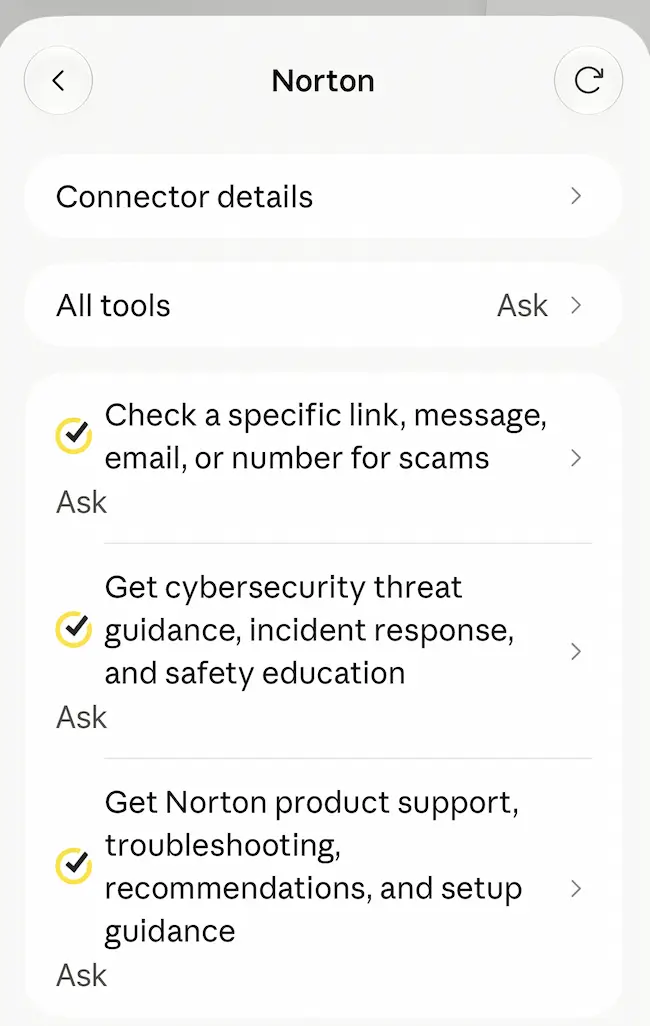
The connector offers three tools. The first checks links, messages, emails, and phone numbers for scams. The second gives advice about cybersecurity threats, how to respond to security incidents, and how to stay safe. The third provides help with Norton products, including troubleshooting and setup instructions.
Users can choose permissions for each tool separately.
Testing scam detection
To test the connector, I used several examples. These included a fake text message pretending to be from a government agency, a real promotional email, and a suspicious notice about renewing a cloud storage subscription.
The first example was a text message in Croatian that claimed to come from Croatia's Ministry of the Interior. It told the recipient that they had an unpaid speeding fine. It referred to legal rules and threatened further consequences.
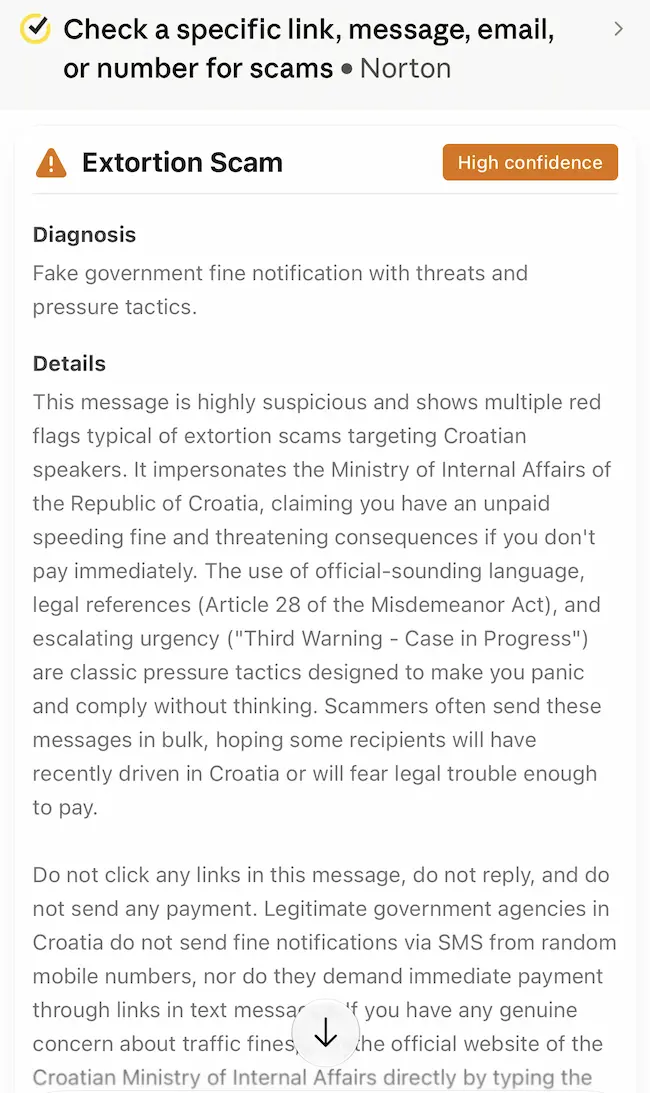
I shared a screenshot of the message directly from the iPhone's Photos app with Claude and asked the Norton connector to check whether it was a scam.
Norton identified the message as an extortion scam with high confidence. The result appeared in a separate card in the conversation. It showed the scam type, confidence level, diagnosis, a detailed explanation, and advice on what to do next.
The analysis pointed out several warning signs: pretending to be a government agency, using language that sounded official, referring to laws, and creating a growing sense of urgency. It explained that scammers use these tricks to pressure people into paying money without checking whether the claims are true.
Norton advised me not to click any links, reply to the message, or make a payment. It also suggested checking for unpaid traffic fines through the official website of Croatia's Ministry of the Interior.
Checking a legitimate email
For the second test, I submitted a screenshot of a Black Friday promotional email offering a 40% discount on new subscriptions.
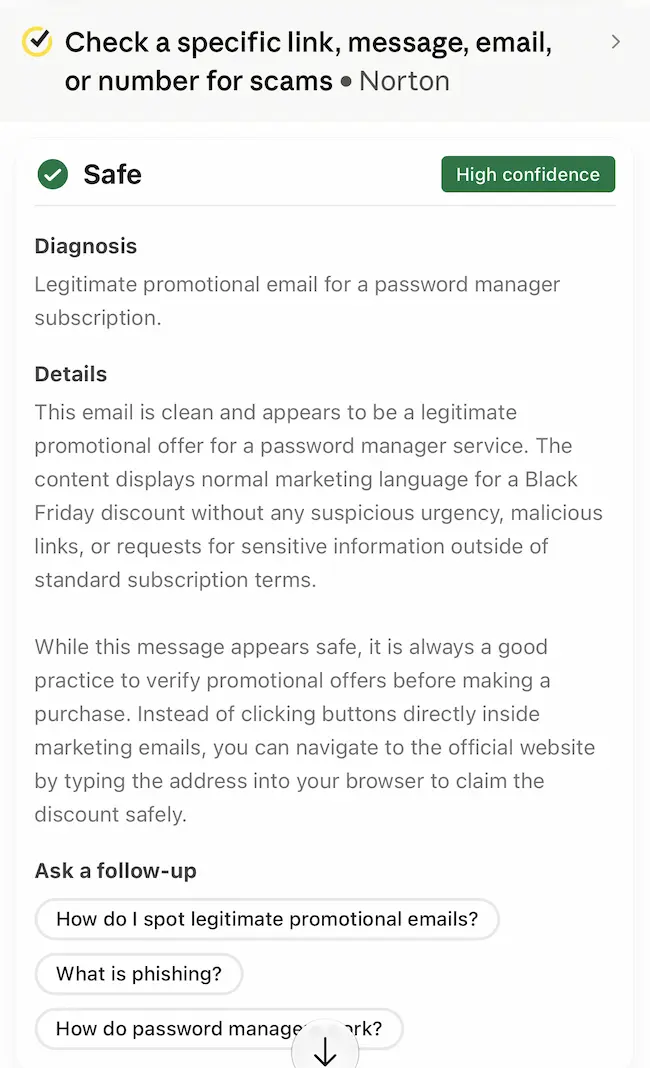
Norton marked the email as safe with high confidence. It described it as a real promotional offer for a password manager subscription. The analysis noted that the email used normal marketing language and did not create suspicious urgency or ask for sensitive information.
Even though the result was positive, Norton still recommended checking the offer by visiting the company's official website instead of clicking buttons in the email.
The results also included suggested follow-up questions. These let users continue the conversation and learn more about phishing, scams that pretend to come from government agencies, genuine promotional emails, and password managers.
Finding a cloud storage phishing attempt
In another test, I submitted a suspicious notice about renewing a cloud storage subscription. The message warned that a payment had failed and that the service might be interrupted.
Norton identified the message as phishing. It pointed to the use of general branding and pressure to act quickly as warning signs.
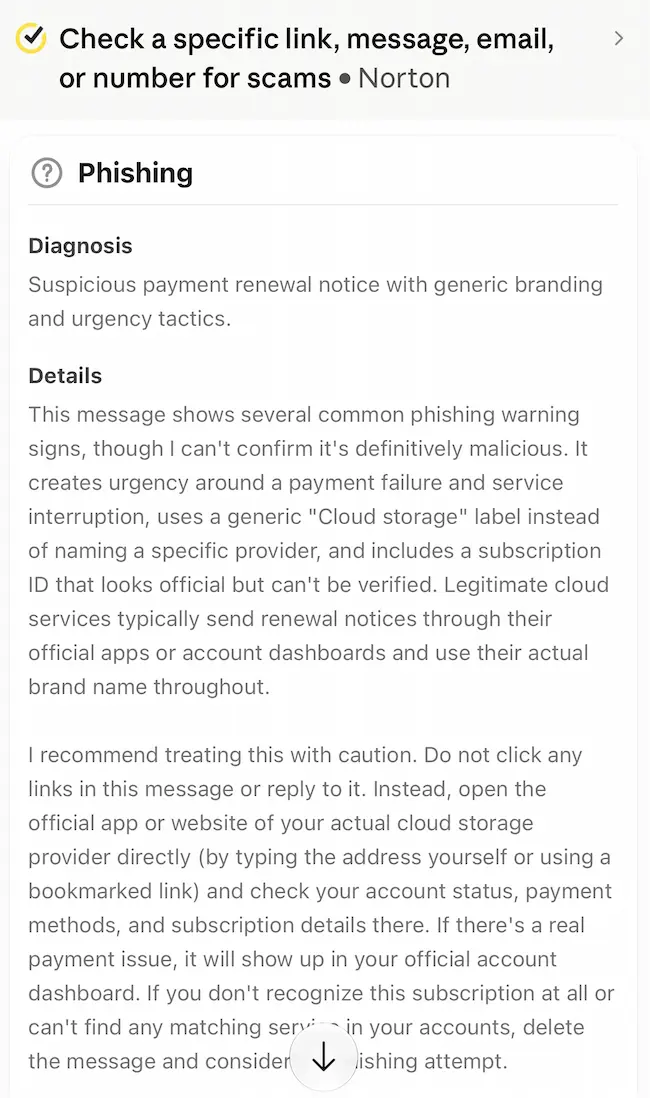
The analysis found several features often seen in phishing attempts. The message did not name a specific cloud storage provider, pressured the recipient to fix a payment problem, and included an official-looking subscription ID that could not be checked.
Unlike the earlier results, which had high confidence, Norton explained that there was not enough information to confirm for certain that this message was malicious.
Norton advised users not to follow links in the message. Instead, it recommended opening the cloud storage provider's official app or website directly to check the account, payment methods, and subscription details.
If the user could not find a matching subscription, the tool recommended deleting the message and treating it as a phishing attempt.
Conclusion
The Norton connector brings scam detection and cybersecurity advice into Claude's chat interface. It identifies possible scams, explains the warning signs behind each result, and suggests what users should do next. This can help people learn to spot similar patterns in future messages and emails.